§1Read
Markdown that reads like a well-edited book.
Double-click any .md file and it opens in Read mode, with everything GitHub renders plus math and diagrams. No reformatting, no waiting, even for huge files.
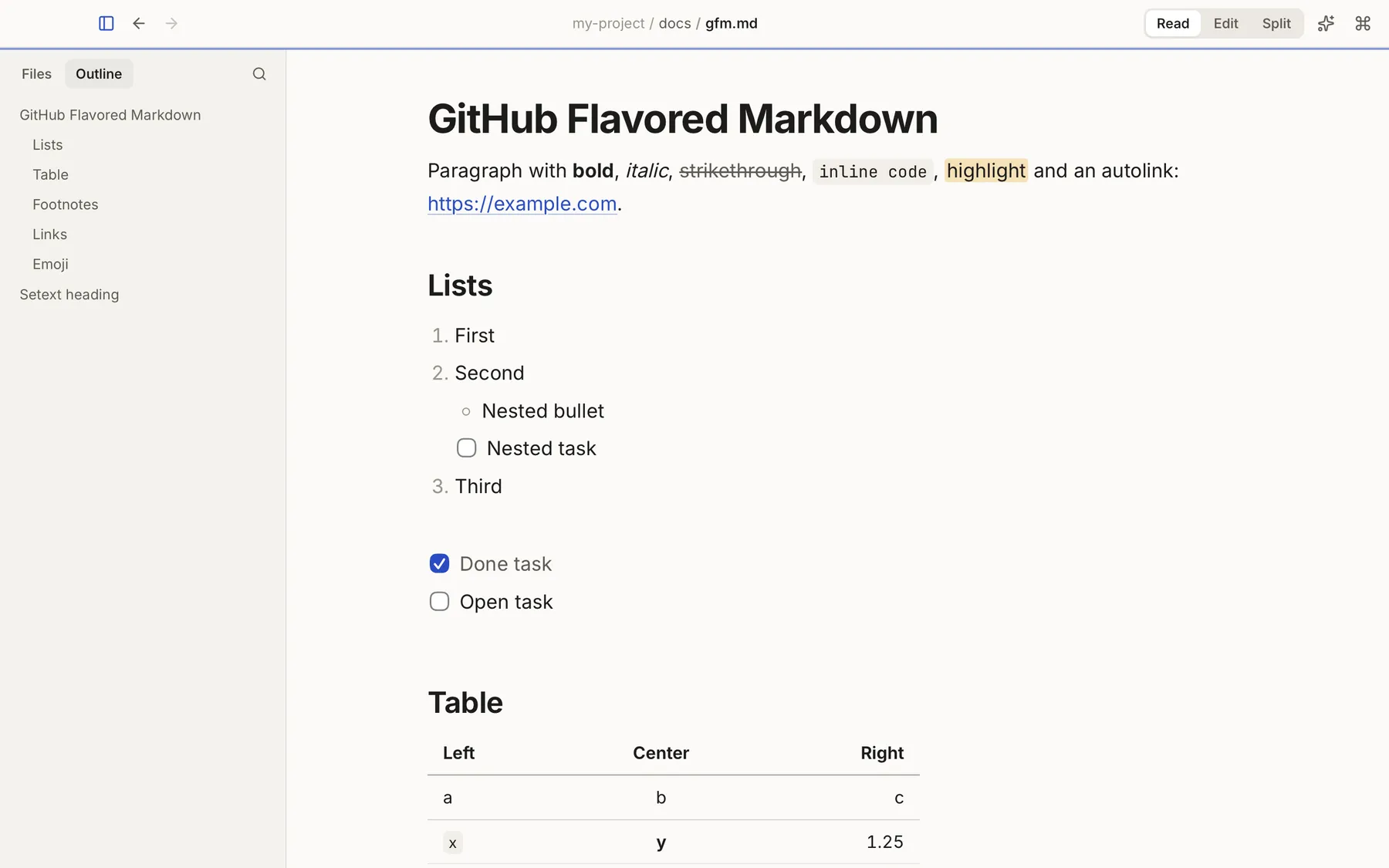
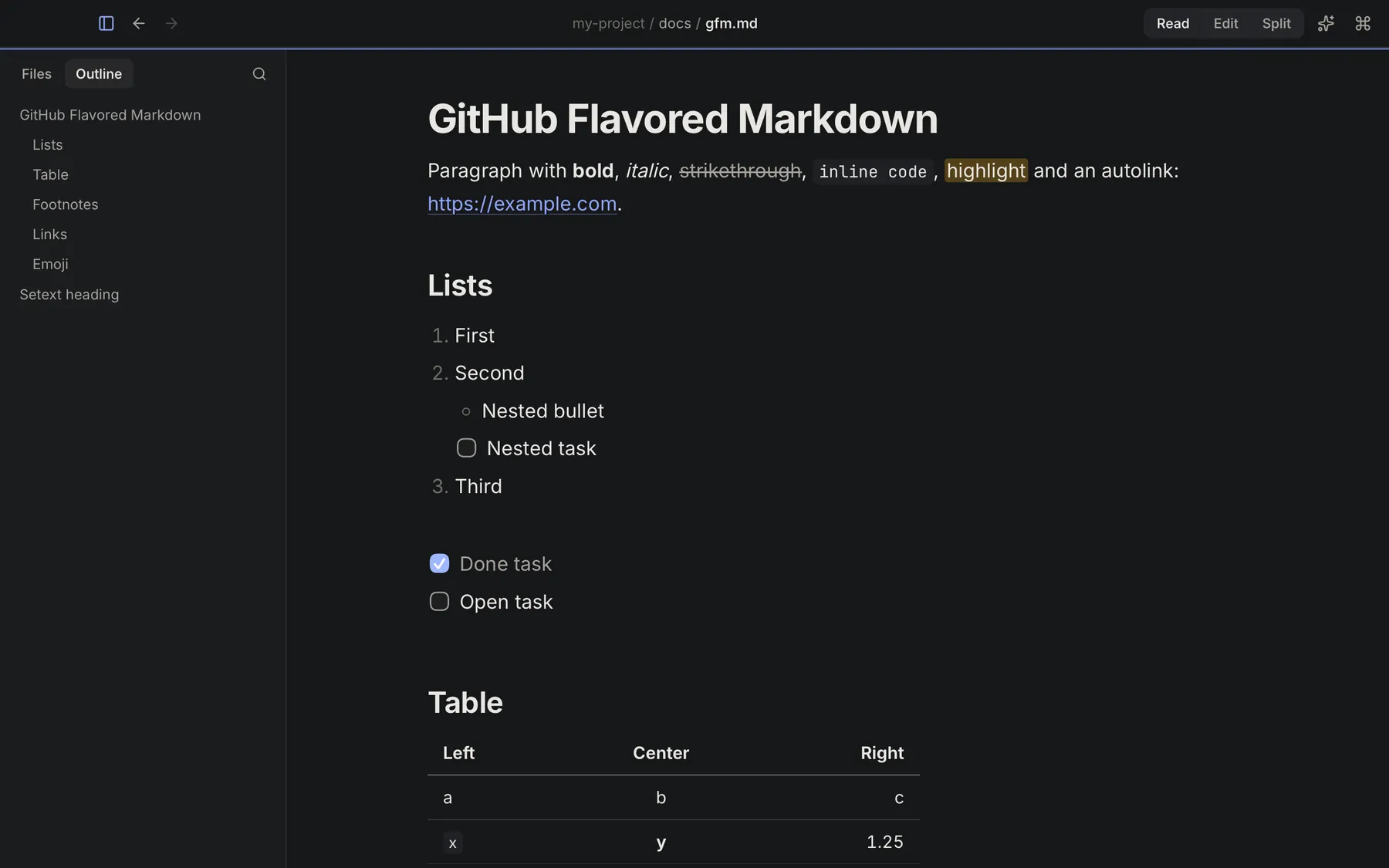
- Editorial typography. A comfortable line length, an outline that follows you and a reading progress bar. Long docs stop feeling like walls of text.
- Instant, even when it’s huge. Big files open fast and stay responsive.1
- Everything GitHub renders. Alerts, tables, task lists and footnotes look the way their authors intended.
- Math and diagrams. KaTeX formulas and Mermaid diagrams render right in the document.
- Code that’s easy to read. Shiki syntax highlighting for code blocks in hundreds of languages.
- Four themes. Paper, Graphite, Sepia and Contrast. Pick the one that’s easiest on your eyes, day or night.
- Made for the docs you actually read. READMEs, specs, runbooks and the plans your AI agents write.
README.mdAGENTS.mdCLAUDE.md.markdown.mdx (view)
§2Keymark AI
AI when you want it. One click, once.
Keymark AI is an optional add-on you turn on inside the app: one click, a one-time download of ~2.5 GB, and from then on it works 100% offline. No account, no API key. Until you turn it on, the reader, editor and workspace work just the same.
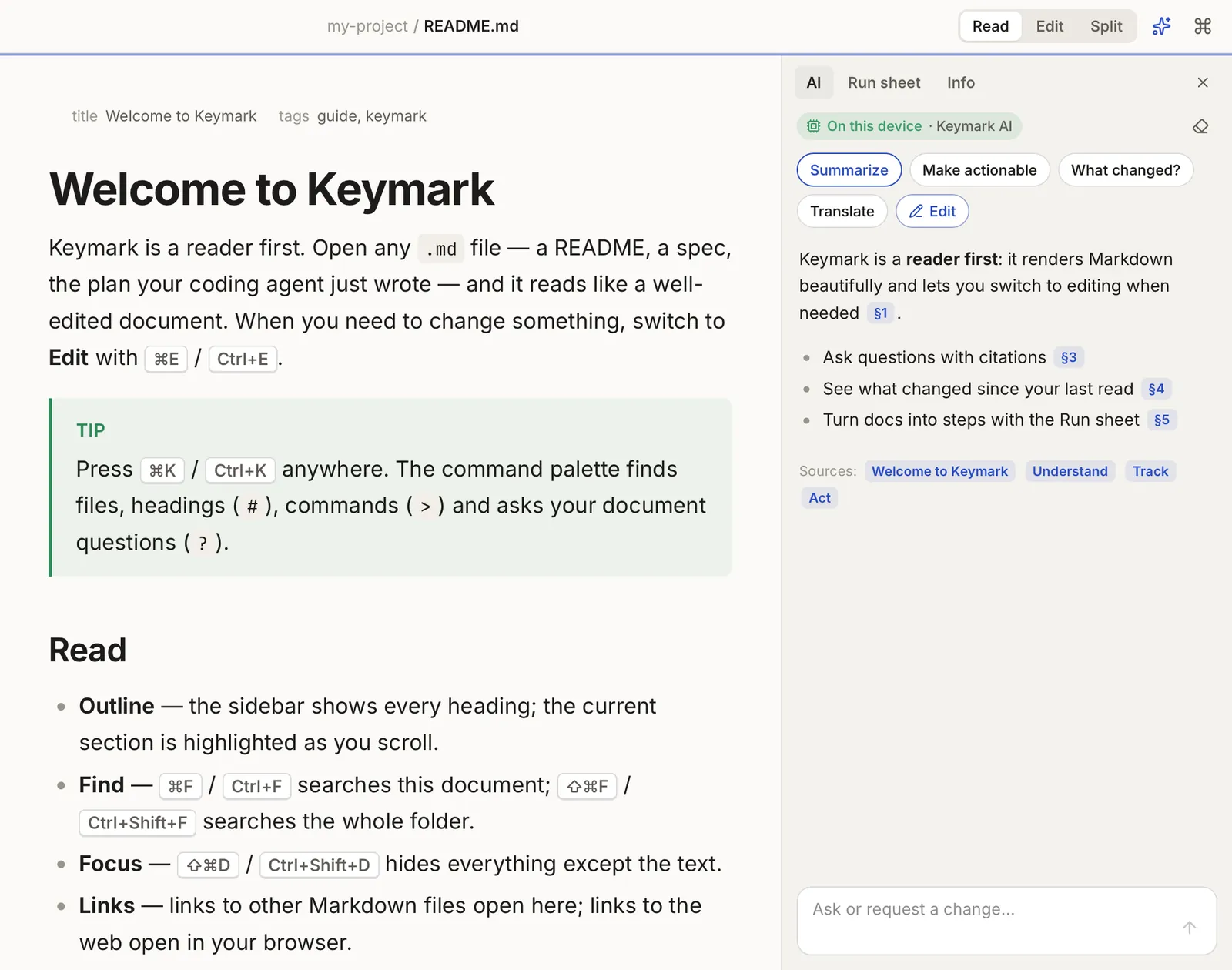
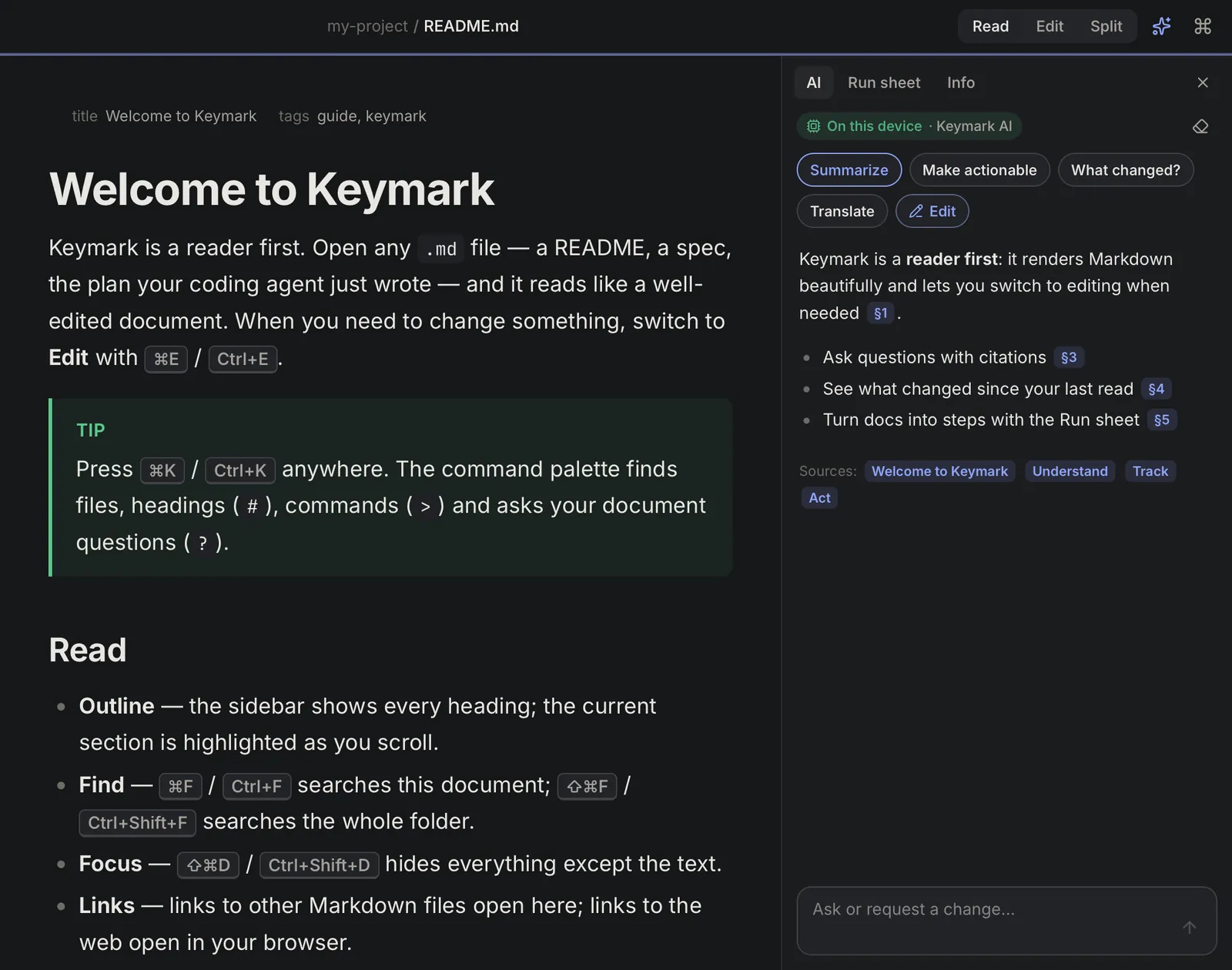
- Answers you can check. Every answer cites the sections of the document it comes from, like §4, and says so when the document doesn’t contain the answer.
- Ask, explain, summarize, translate. Or make a doc actionable, from the AI panel or the ⌘K palette.
- Edit with AI. Ask for a change and review it as a diff before anything is saved.
Edit with AI
Ask “fix the spelling” or “add an installation section”. Keymark AI proposes the change as a diff, and you apply or discard it. Your document never changes without your OK.
  ## Install
- Keymark keeps you’re files exactly as they are.
+ Keymark keeps your files exactly as they are.
Turn it on
- Install Keymark. A light download. The reader, editor and workspace work right away.
- Turn on Keymark AI. One click inside the app and a one-time download of ~2.5 GB.
- Ask, offline. From then on it runs 100% on your computer, without internet. Your documents never leave it.
Want better answers? Keymark AI Plus is more accurate, with a bigger download, and Keymark AI Pro gives the best quality on computers with 32 GB of RAM. Both are optional and run on your computer too.
Tip
Ask about an English document in Spanish, or the other way around. The AI can also translate the whole document.
§3Since you last read
See what changed since you last read.
Docs change, especially the ones AI agents keep rewriting. Keymark remembers what you read and marks new and changed sections the next time you open the file. No git needed.
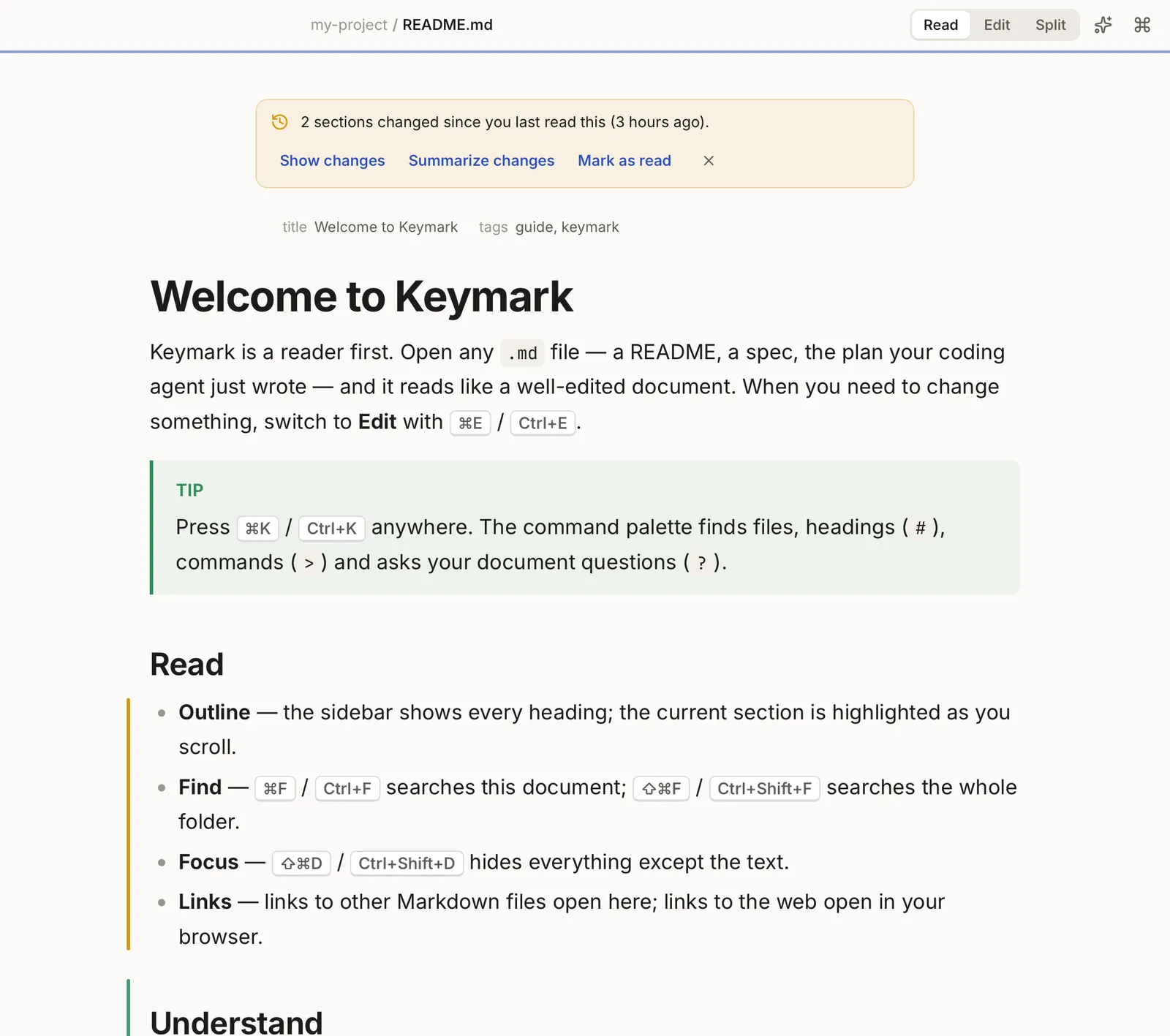
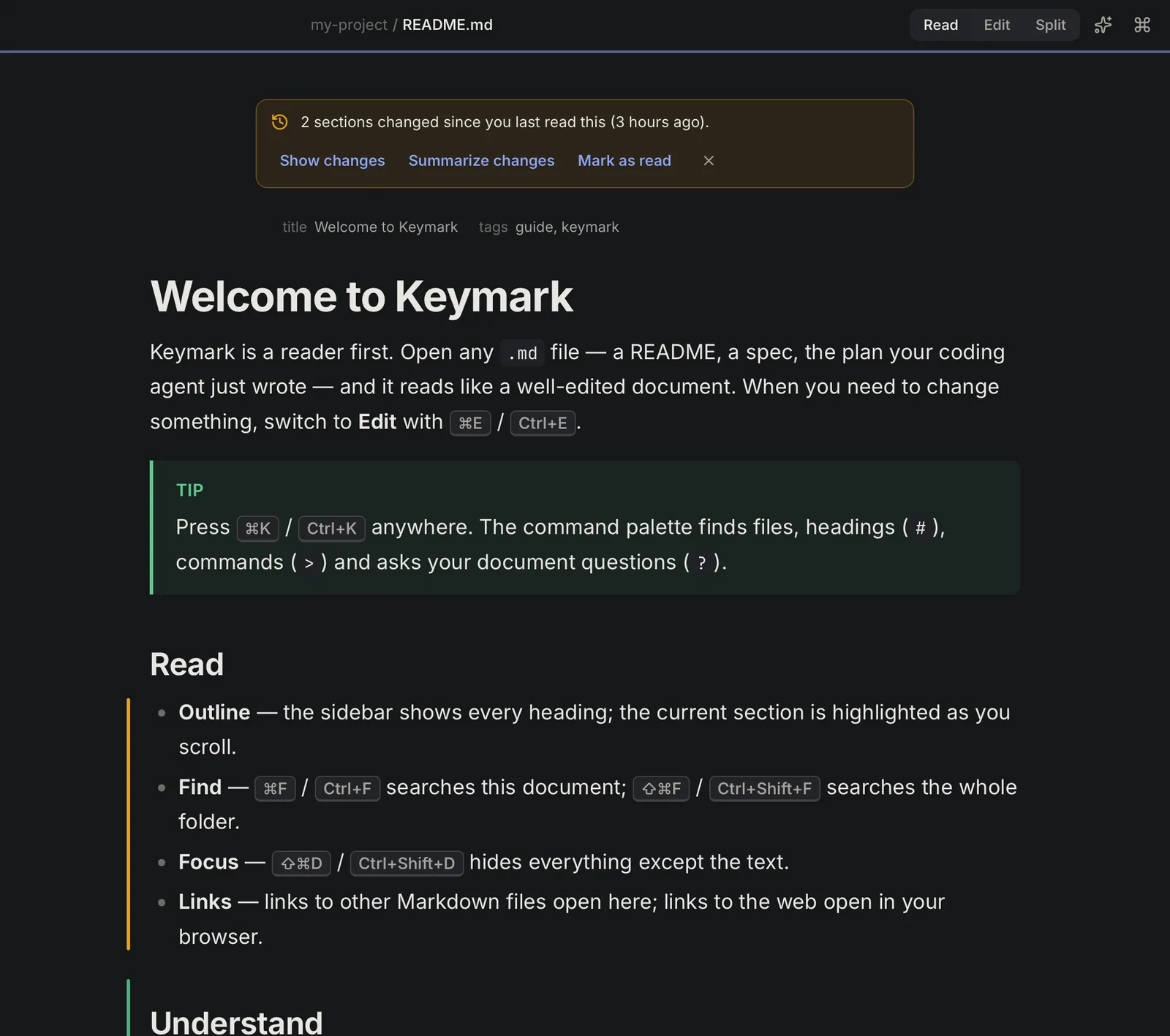
- Works on any file, inside a repo or not
- Show the changes, summarize them with AI or mark as read
- The summary is generated on your computer
§4Run sheet
Turn a doc into a checklist.
The Run sheet pulls the tasks and shell commands out of a setup guide or an agent’s plan and turns them into a checklist with progress.
pnpm installpnpm dev
Keymark never runs commands. Copy them into your terminal and check them off.
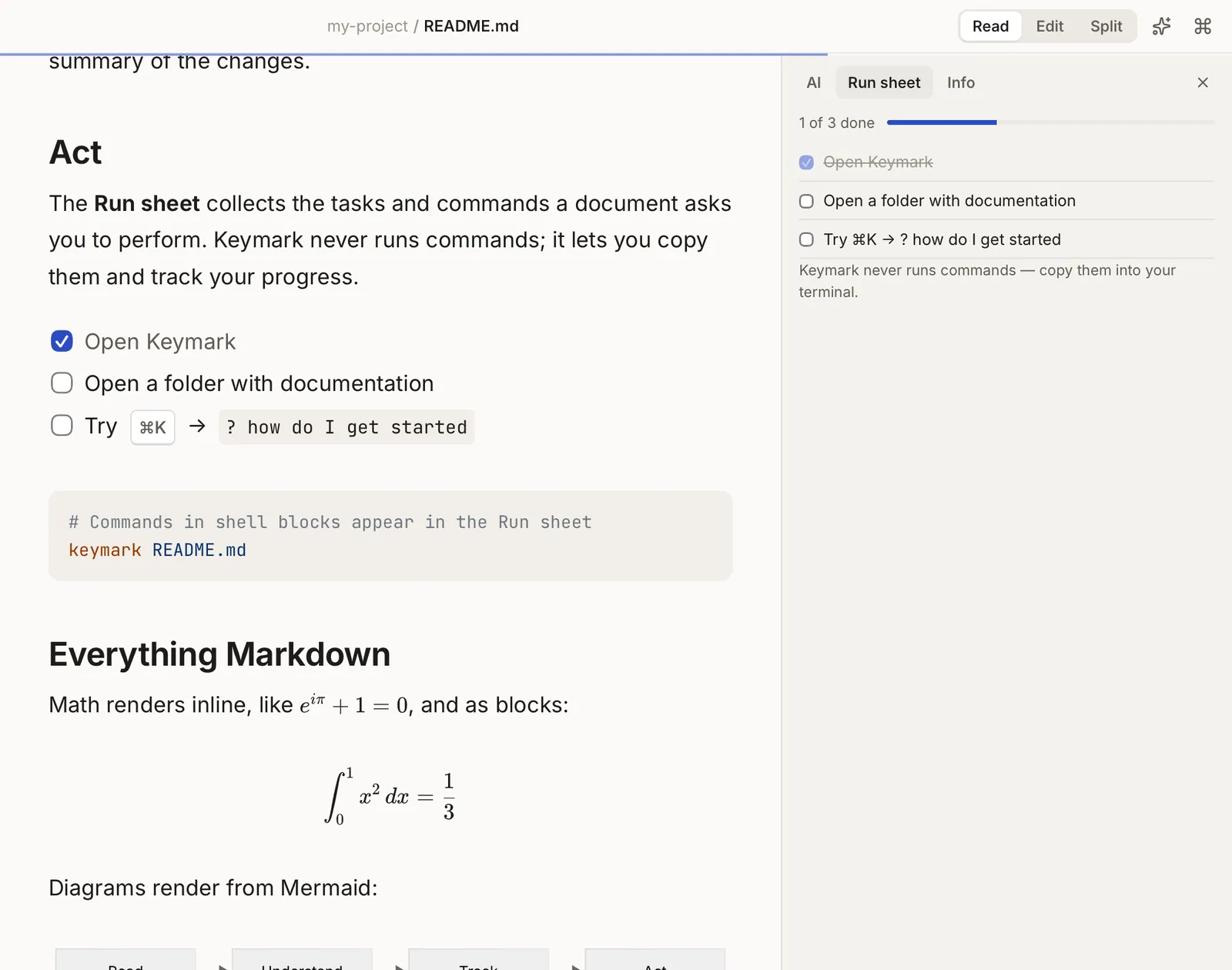
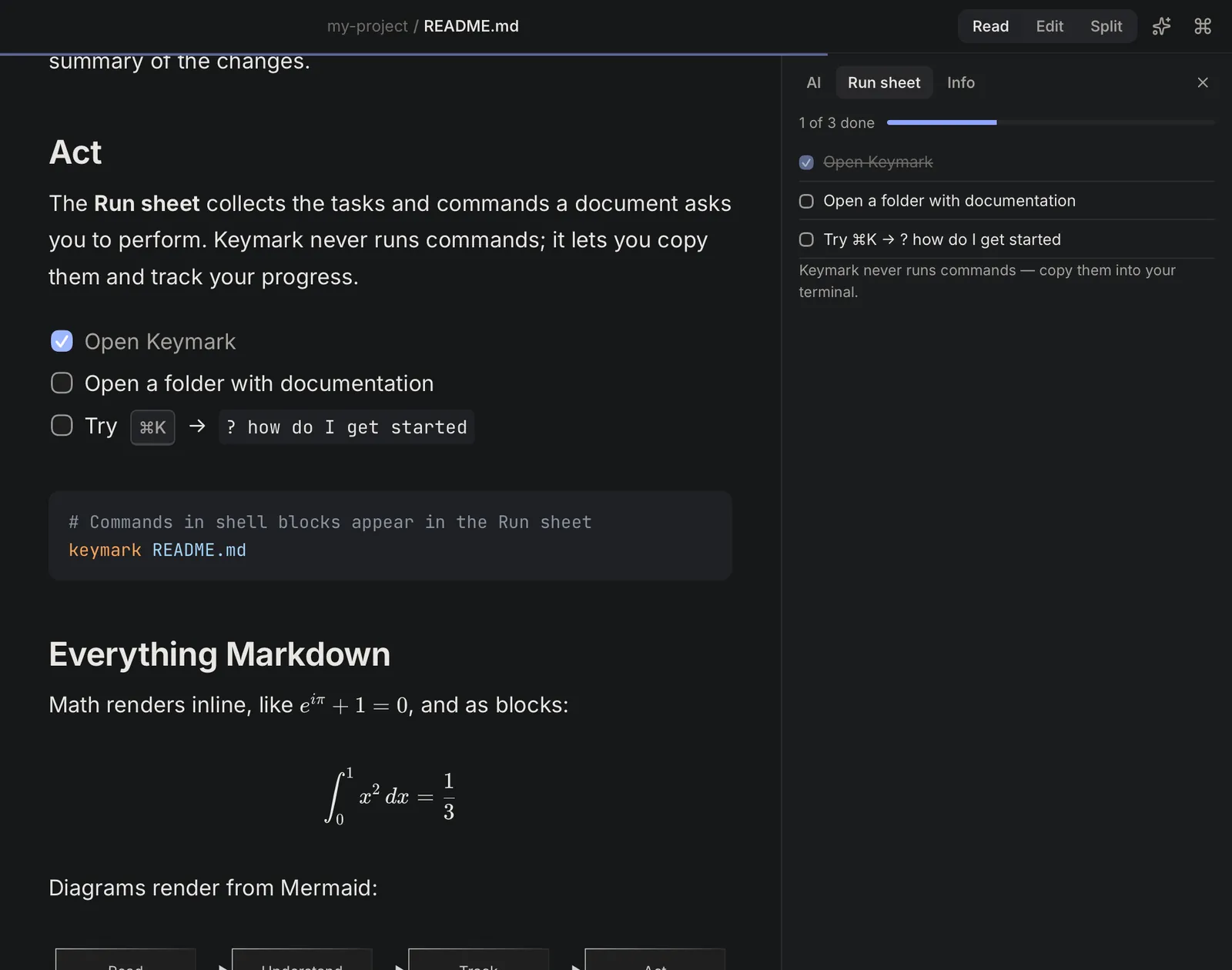
- Progress you can see at a glance
- Copy any command into your terminal
- Keymark never runs commands for you
§5Workspace
Open a folder. Find anything.
Open a whole project and get a sidebar with related files, your AI agent docs grouped together (AGENTS.md, CLAUDE.md, plans), backlinks and document health.
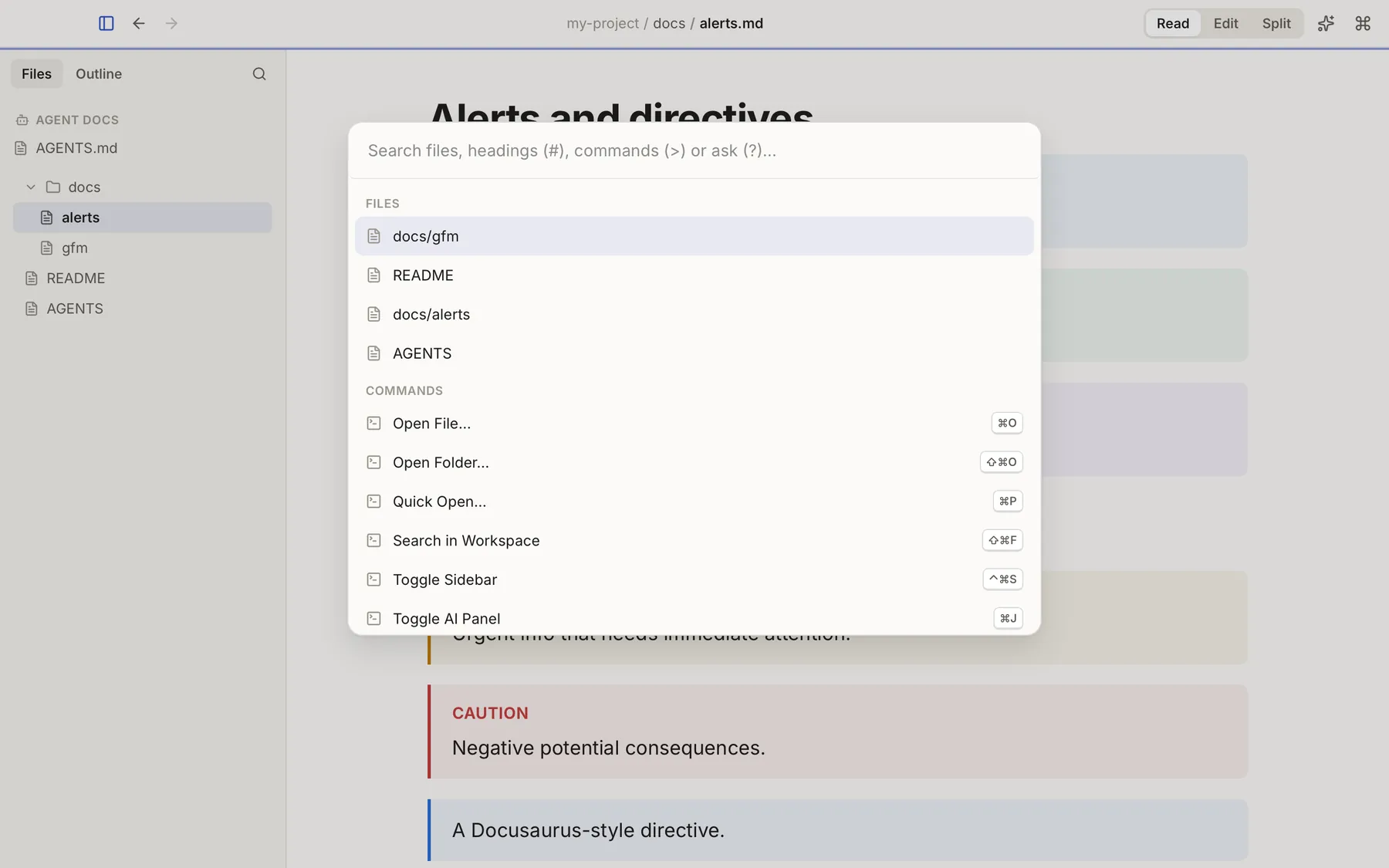
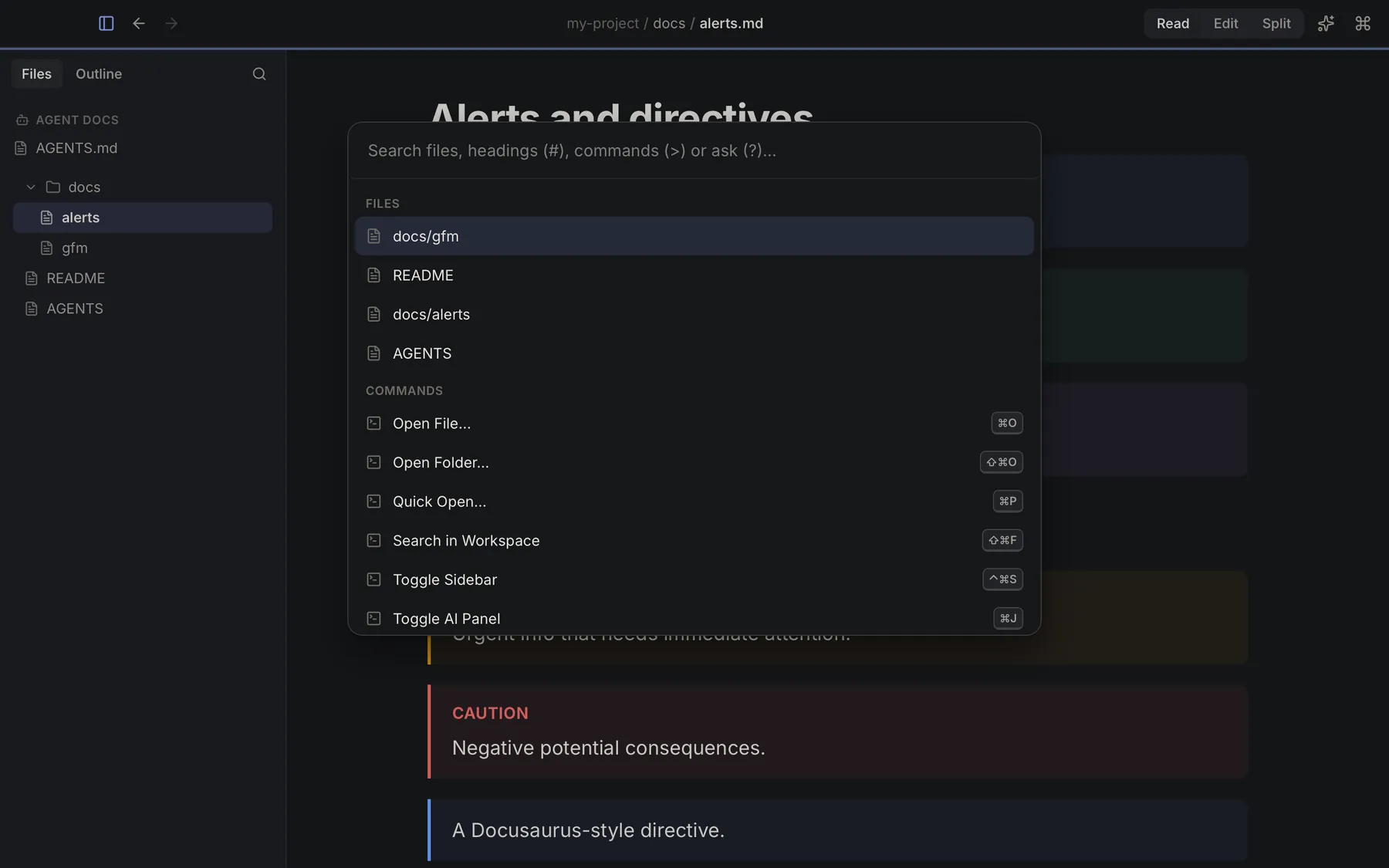
- Full-text search across the folder
- A ⌘K palette for files, headings, commands and questions
- Broken links and missing images, flagged
§6Editor
Edit without wrecking your files.
Switch to a CodeMirror editor, or use split view with synced scrolling. Saving is byte-exact: Keymark keeps your encoding and line endings, so your diffs stay clean.
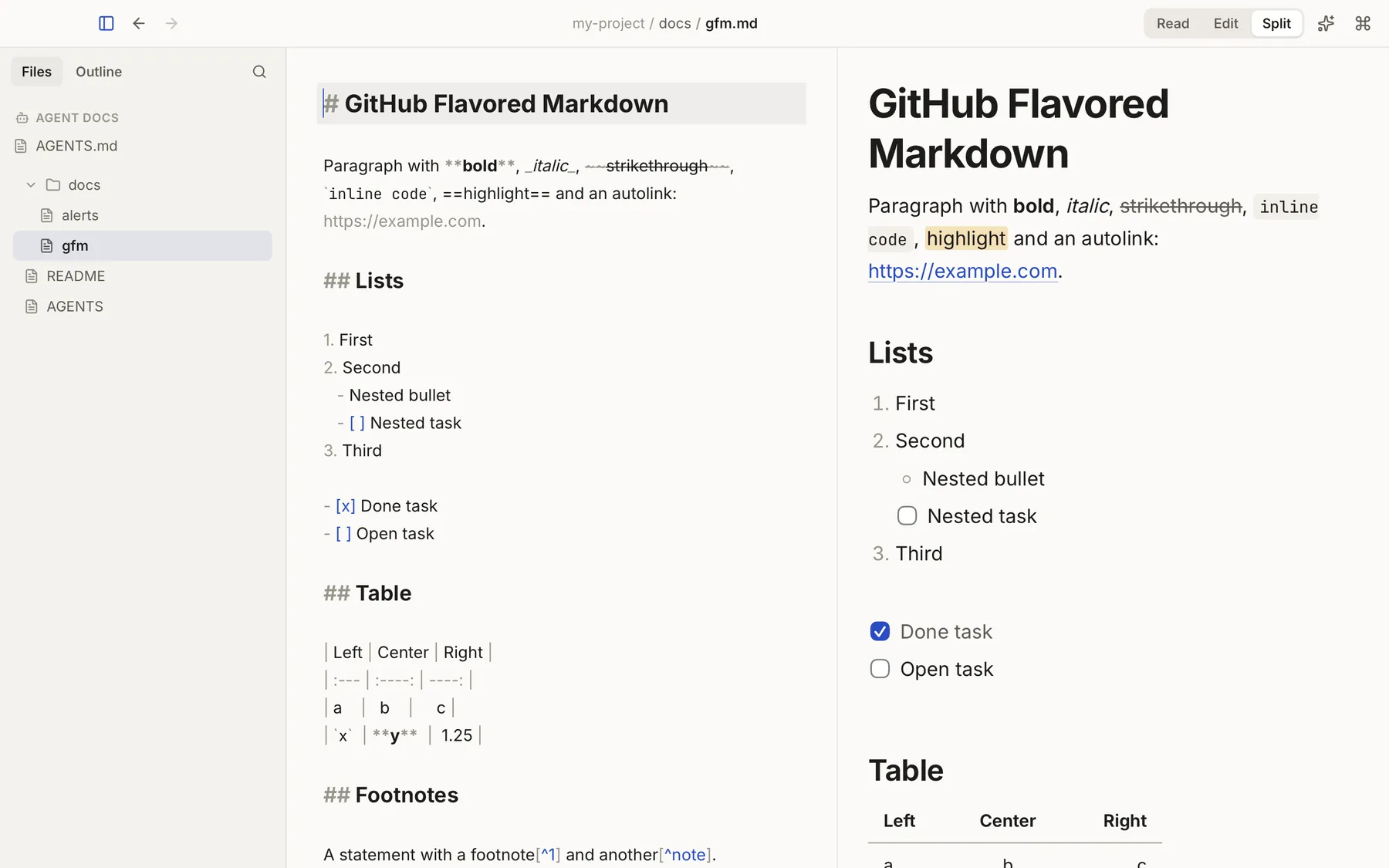
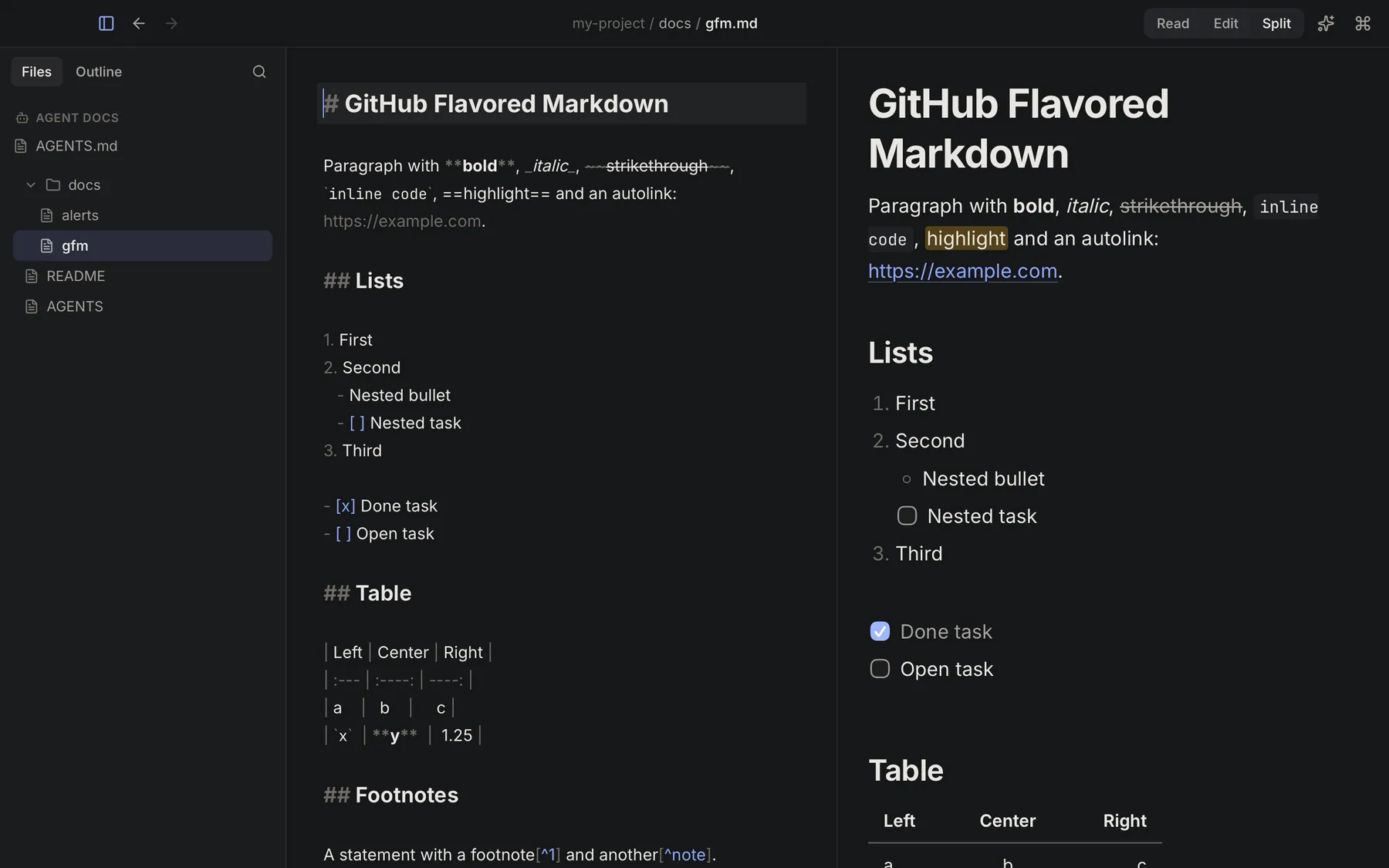
- Read, Edit and Split modes: ⌘1 ⌘2 ⌘3
- Nothing gets reformatted behind your back
- Export to HTML or PDF
§7Privacy
Private by default. Verifiable by design.
Your documents stay on your computer. Keymark doesn’t ask you to sign up, and it shows you every network request it makes.
| Topic | In Keymark |
|---|---|
| Account | None. Download it and use it. There’s nothing to sign up for. |
| Telemetry | Off by default. Usage statistics are only sent if you turn them on. |
| Privacy Center | See every network request Keymark makes, in one list. |
| Offline mode | One switch blocks every network request. |
| Keymark AI | Optional, on this computer. Once it’s on, it works offline. |
Important
Your documents never leave your computer. The AI runs on your machine. Nothing is sent to a cloud AI, unless you choose to connect your own external AI server.
§8How it works
From download to answers in four steps.
-
Download ~19 MB
Install Keymark. It’s a light download, and reading and editing work right away.
Keymark_0.3.0_aarch64.dmgorKeymark_0.3.0_x64-setup.exe -
Open a file or a folder .md or folder
Double-click any Markdown file, or open a whole folder to get the sidebar, search and backlinks.
~/projects/handbook/README.md -
Turn on Keymark AI optional
One click inside the app downloads it once (~2.5 GB). From then on it works without internet.
-
Ask or request a change on-device
Press ⌘K and type ?, or open the AI panel. Answers cite the sections they come from, and edits arrive as a diff you apply or discard.
⌘K
? how do I get started
§9Download
Get Keymark. Free during the beta.
Version 0.3.0 is the Founders Beta. Light download. Turn on Keymark AI whenever you want: one click, one time, and it works without internet.
macOS
Apple Silicon · M1 or later
- Requires
- macOS 14 Sonoma or later on Apple Silicon. Intel Macs are not supported.
- Version
- 0.3.0 · Founders Beta
- Size
- ~19 MB
- AI
- Optional. Turn on Keymark AI inside the app: ~2.5 GB, once.
- File
Keymark_0.3.0_aarch64.dmg- SHA-256
a8b8753ed645044c837c60412749190c339858167880a86908b8ccbbe63bddc2
Windows Beta
Windows 10 and 11 · x64
- Requires
- Windows 10 or Windows 11, 64-bit (x64).
- Version
- 0.3.0 · Founders Beta
- Size
- ~20 MB
- AI
- Optional. Turn on Keymark AI inside the app: ~2.5 GB, once.
- File
Keymark_0.3.0_x64-setup.exe- SHA-256
b397ca53b60ea621569d3db8b0b4b6d47c4868d5b00efc8abebc04274fc1ab4d
Preliminary build. The Windows version is newer than the Mac one, so expect a few rough edges. If something breaks, tell us.
Download for WindowsInstalling the beta: what to expect
Founders Beta builds are not notarized by Apple or code-signed for Windows yet, so your computer may warn you the first time you open Keymark. That’s expected for this beta. Signed builds will come in a later release.
Keymark AI isn’t part of the installer. Turn it on from inside the app whenever you want: it downloads once (~2.5 GB) and then works offline.
macOS
- Open the
.dmgand drag Keymark to Applications. - Open Keymark. If macOS blocks it, go to System Settings → Privacy & Security.
- Scroll down, click Open Anyway and confirm.
Windows
- Run the installer.
- If SmartScreen shows “Windows protected your PC”, click More info.
- Click Run anyway.
§10Coming soon
Keymark on WhatsApp. Coming soon
We are building a WhatsApp integration so you can use Keymark from the chat too.
On your terms
It will be optional: you will decide which documents you share over WhatsApp, and everything else stays on your computer.
WhatsApp and its logo are registered trademarks of WhatsApp LLC.
§11FAQ
Questions, answered.
Short answers about the beta, privacy and the AI.
Is Keymark free?
Yes. The Founders Beta is free. Reading, editing, search, export and on-device AI on your own files are Keymark’s free core.
If we add optional paid services later, we’ll announce pricing before they launch, and early users will get founder pricing.
Does it run on Intel Macs?
No. Keymark needs a Mac with Apple Silicon (M1 or later) running macOS 14 Sonoma or later. Intel Macs are not supported.
Is the Windows version ready?
Yes, as a beta. It runs on Windows 10 and 11 (x64), and you can turn on Keymark AI there too. It’s a preliminary build, newer than the Mac one, so you may run into rough edges. Tell us what you find.
Does my data leave my computer?
No. There’s no account and the AI runs on your computer, so your documents stay on it. The only exceptions are the ones you turn on yourself: usage telemetry (off by default) or connecting your own external AI server.
The Privacy Center lists every network request Keymark makes, and offline mode blocks them all.
Can the AI change my files?
Only when you say so. When you ask for an edit, Keymark AI shows the change as a diff, and nothing is written until you press Apply. Discard it and your document stays exactly as it was.
Do I need to download the AI?
Only if you want it. Keymark AI is optional: you turn it on from inside the app with one click, and it downloads once (~2.5 GB). After that it works offline, and your documents never leave your computer. The reader, editor and workspace work without it.
For better answers you can add Keymark AI Plus (more accurate) or Keymark AI Pro (the best quality, for computers with 32 GB of RAM). They run on your computer too.
How big is the download?
The installer is light: ~19 MB for macOS and ~20 MB for Windows. Keymark AI is a separate, optional download of ~2.5 GB that you start from inside the app, only once.
Which files can it open?
Markdown files: .md and .markdown. .mdx files open for viewing. You can open a single file or a whole folder.
Which languages does it support?
The interface is available in English and Spanish. The AI can translate documents, and you can ask about an English document in Spanish (or the other way around).
Why does my computer warn me when I open it?
Beta builds aren’t notarized or code-signed yet. On macOS, go to System Settings → Privacy & Security and click “Open Anyway”. On Windows, click “More info” and then “Run anyway”. See Installing the beta for details.
Have another question? Write to [email protected]. We read every message.
Your Markdown, finally understood.
Join the Founders Beta: free, private, with optional AI that runs on your computer.